How to install Radman live chat on your website
A practical setup checklist: create your workspace, choose the panel language, add a site and test your first two-way conversation.
Answer website visitors from a shared support workspace, with searchable conversations, shortcuts and clear ownership.
Start your 14-day free trial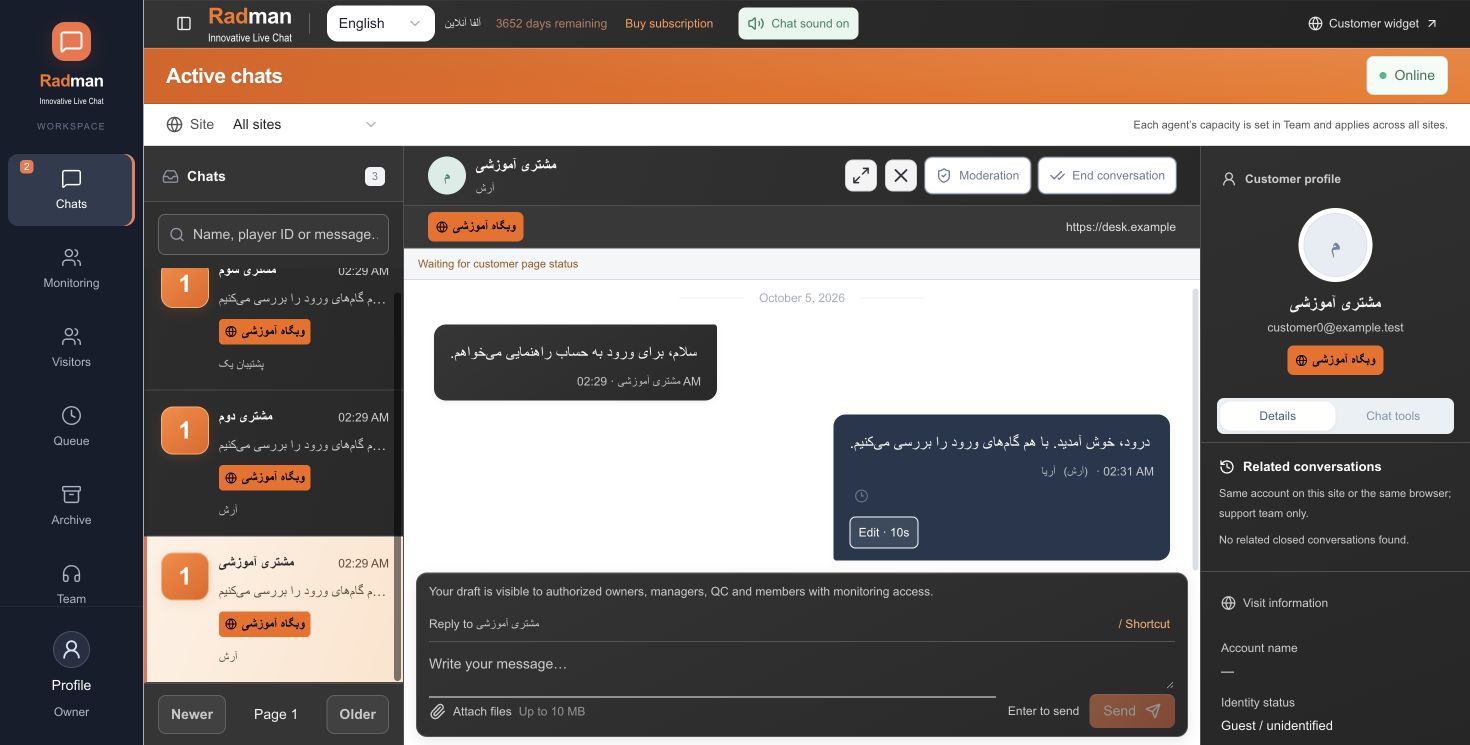
A visitor opens your branded widget and starts a conversation. Radman places the conversation in the support workflow, where an available teammate can reply under a configured display identity. Agents can use ready-made responses, attach supported images and keep internal notes beside the customer conversation.
The customer panel brings together the details that your installation actually receives, such as email, current page and visitor information. Account IDs and other signed-in profile fields require a supported integration from your website platform. Installing a script alone does not guarantee access to account details.
Agents can keep up to three conversation windows open and enlarge one while retaining the others as tabs. Assignment, joining, replies and archive access follow the company’s permissions. An internal note is for the team; a public reply goes to the visitor.
Test visitor and agent messages in both directions, mobile layout, notifications and image upload on your real domain. Website and employee allowances depend on your subscription. Start with the installation guide and choose a plan that fits the number of websites and teammates you need.
A shopper asks whether an item can arrive before Friday. Keep the question with its website context, use a reviewed shortcut for the delivery policy and hand the chat to the right teammate if the answer needs checking. Radman provides the conversation workspace; delivery dates and order data must come from your business or a supported integration.
Install the generated code on a test page, send a message from a phone and reply from an agent account. Check assignment, notifications, internal notes and the searchable archive. Test your own website integration separately; the widget does not automatically know an order or payment status.
Radman is built for human support teams. A multilingual dashboard and widget do not mean autonomous answers. Compare staff and website limits on the pricing page before choosing a plan.
Choose your own default panel language during signup. No credit card is required to start the trial.