How to install Radman live chat on your website
A practical setup checklist: create your workspace, choose the panel language, add a site and test your first two-way conversation.
Manage live chat across multiple websites with one support team, per-site widget branding and clear conversation origins. Compare website limits by plan.
Start your 14-day free trial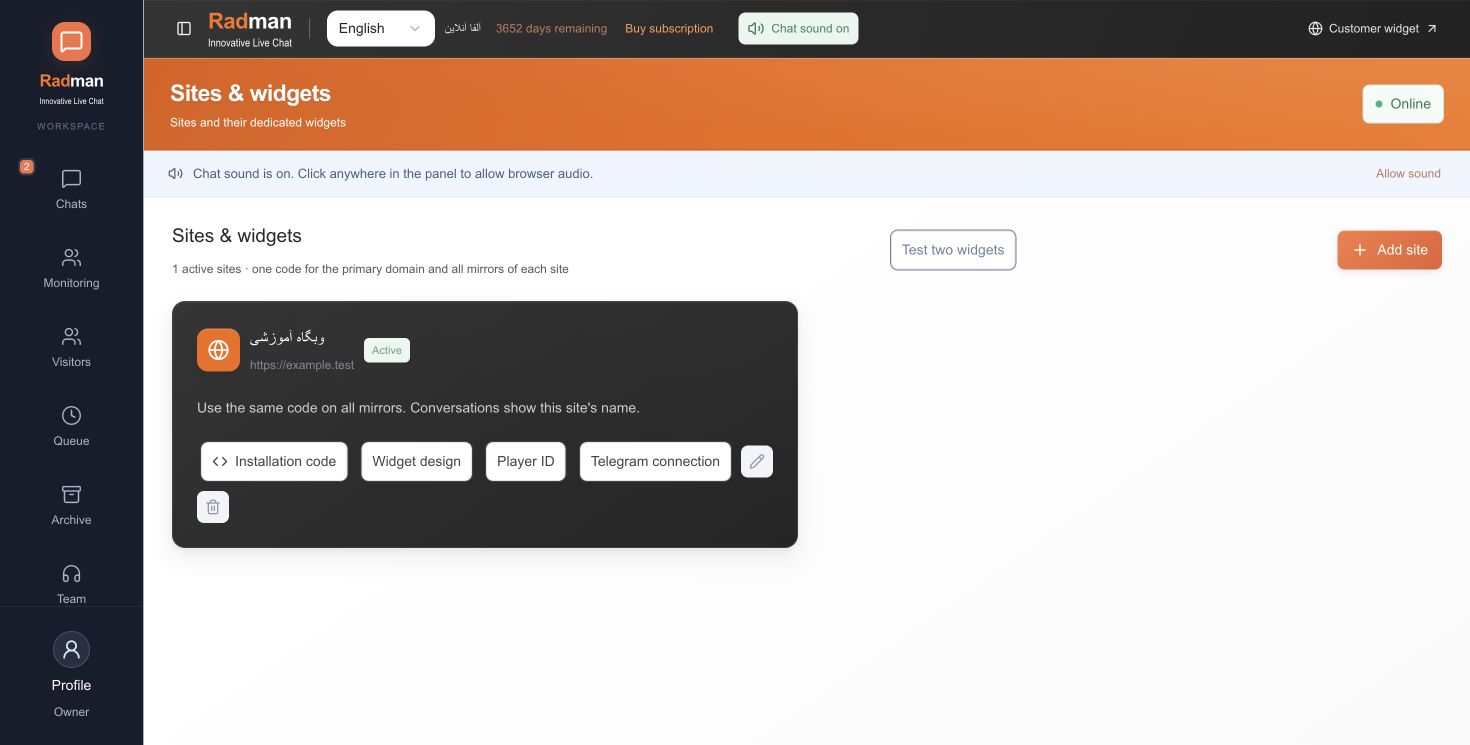
Add websites to your company workspace and give each widget its own appearance. Agents can see which site a conversation belongs to and filter their view. Site-specific display identities, ready-made responses and automatic messages help keep one brand’s wording out of another brand’s support.
Automatic routing distributes new work among eligible available agents and respects their configured capacity. A manual transfer is a separate action: the recipient must be online, have conversation access and have room within capacity. Turning off automatic readiness does not by itself make an otherwise eligible person unavailable for a manual transfer.
Starter supports one website and the owner plus five employees. Team supports up to three websites; Business and Custom offer unlimited websites under the current published plans. Check the live pricing page for the exact included features. Each company has its own workspace and access boundaries; this page describes several sites inside one company, not unrestricted access across companies.
A team serving two stores needs to see which brand a question belongs to before answering. Add each site separately, configure its identity and shortcuts and use site filters to review the right conversations. Per-site branding helps the agent use the appropriate wording; permissions still control access.
Website allowances depend on the plan. Adding a second domain or brand is not the same as a mirror domain. Review the current plan table and test each website’s embed code before moving the team onto the workspace.
Create the websites, set their widget appearance and welcome messages, add shared and site-specific shortcuts and test a conversation from each domain. Confirm agents can identify the originating website and can only perform permitted actions.
Choose your own default panel language during signup. No credit card is required to start the trial.